Melda MDrumStrip – Powerful Plugin Specifically For Semi-Automatic Drum Mixing.
Revolutionize your drum mixing workflow with MDrumStrip, the comprehensive drum mixing plugin designed to streamline the process and deliver professional-sounding results in minutes.
An Arsenal of Drum-Specific Tools:
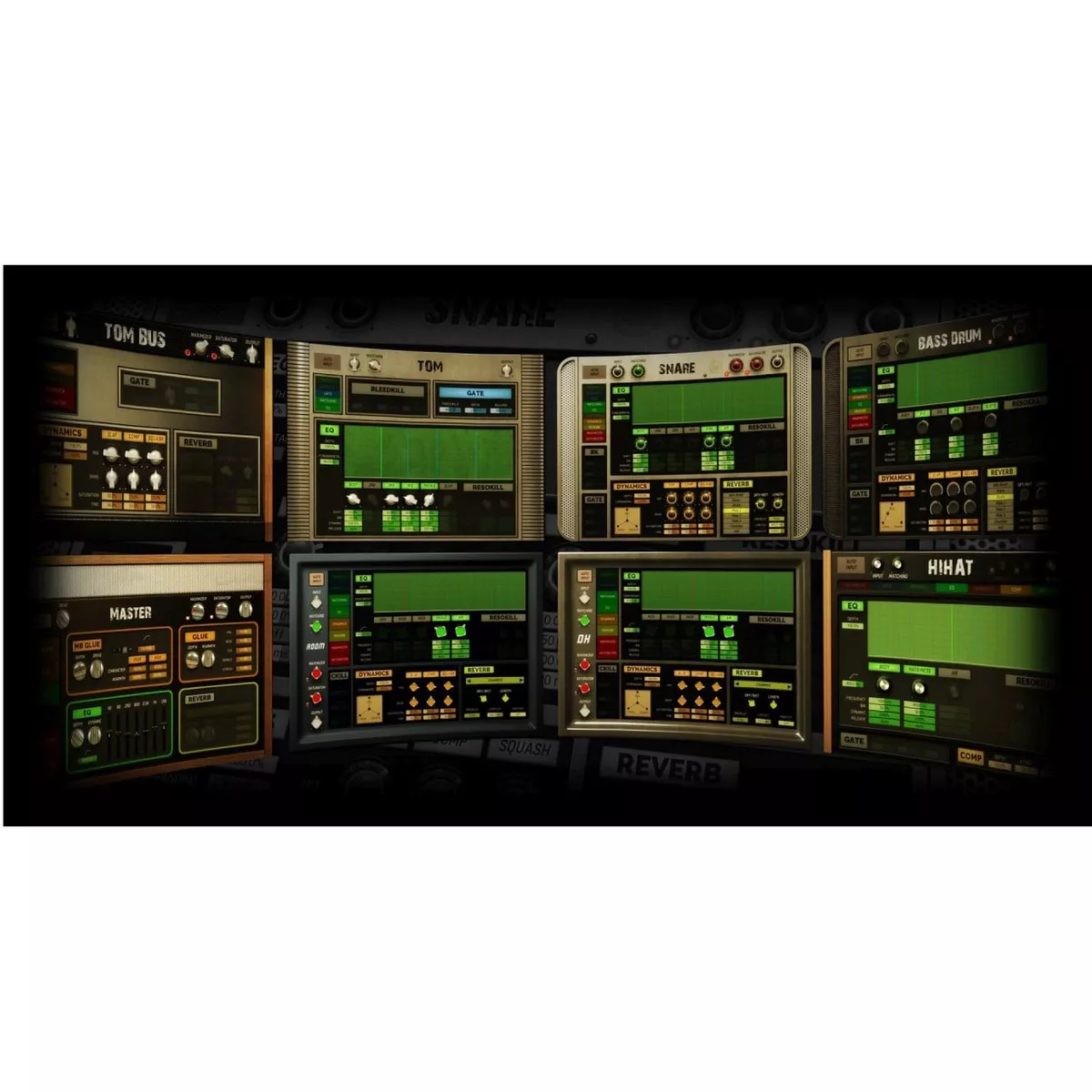
- Dedicated Processing: MDrumStrip equips you with a suite of specialized devices tailored to each drum element (kick, snare, toms, hi-hat, overheads, room mics, etc.). Each device offers targeted processing for the perfect sonic sculpting.
- Intuitive Workflow: Forget complex routing and endless tweaking. MDrumStrip guides you through a streamlined process, assigning the ideal device to each drum track for a quick and efficient mixing experience.
Precision at Your Fingertips:
- Intelligent Analysis: MDrumStrip utilizes intelligent analysis to understand the unique characteristics of your drum tracks. This allows for accurate processing and a natural, transparent sound.
- Advanced Control: Dive deeper when needed. Each device within MDrumStrip provides a full set of controls, including input matching, dedicated EQ, dynamics processing, and reverb, empowering you to tailor the sound of each drum element with precision.
From Beginner to Pro:
- Effortless Mixing: MDrumStrip caters to all skill levels. Follow the easy walkthrough for a quick and effective drum mix, perfect for beginners. Experienced producers can leverage the advanced controls for in-depth sonic sculpting.
- User-Friendly Interface: MDrumStrip strikes the perfect balance between simplicity and power. The intuitive interface allows you to navigate the plugin effortlessly, focusing on creating the perfect drum sound.
Experience the Difference:
- Free Trial Available: Don’t take our word for it! Download the fully functional 15-day trial version of MDrumStop and discover the power of streamlined drum mixing for yourself.
Flexible Licensing Options:
- Standalone Purchase: Invest in MDrumStrip as a standalone plugin for a focused and budget-friendly solution.
- Bundle Savings: Consider the MMixingFXBundle, MCompleteBundle, or MTotalFXBundle for significant savings and access to a broader range of MeldaProduction plugins. Existing owners of these bundles receive free upgrades, including MDrumStrip.
- MDrummer and MSoundFactory Integration: If you already own MDrummer or MSoundFactory, you can leverage MDrumStrip’s capabilities within those environments without additional licensing.
Stop wasting time on tedious drum mixing. MDrumStrip offers a powerful and intuitive solution for achieving professional-sounding drum tracks, empowering producers, engineers, and musicians of all levels to take their music production to the next level.
Features:
- 1) Send all your drums to one bus and insert MDrumStrip (select the device Master)
- 2) Engage an instance of MDrumStrip on every drum channel and select the appropriate device (device Snare on Snare drum etc.)
- 3) Solo your snare drum, and analyze the sound by turning on the Auto Input for a few seconds.
- 4) Fine-tune by toggling the EQ frequencies.
- 5) Use the XY pad to tweak the dynamics.
- 6) Use bleed kill and gate if necessary.
- 7) Repeat the process for bass drum, toms, hi-hat, overheads and rooms.
- 8) Create a Tom bus channel and send all toms tracks to it. Load MDrumStrip (select Tom bus device). Hit Auto Input to analyze.
- 9) Now that individual drums are ready switch to the drum master bus and hit the Auto Input button.
- 10) Create a parallel bus, load MDrumStrip (Parallel device), send all tracks to it and analyze.
- 11) Use the saved time to have some rest.
Tech Specs:
MAC
- OS X
WINDOWS
- Windows